
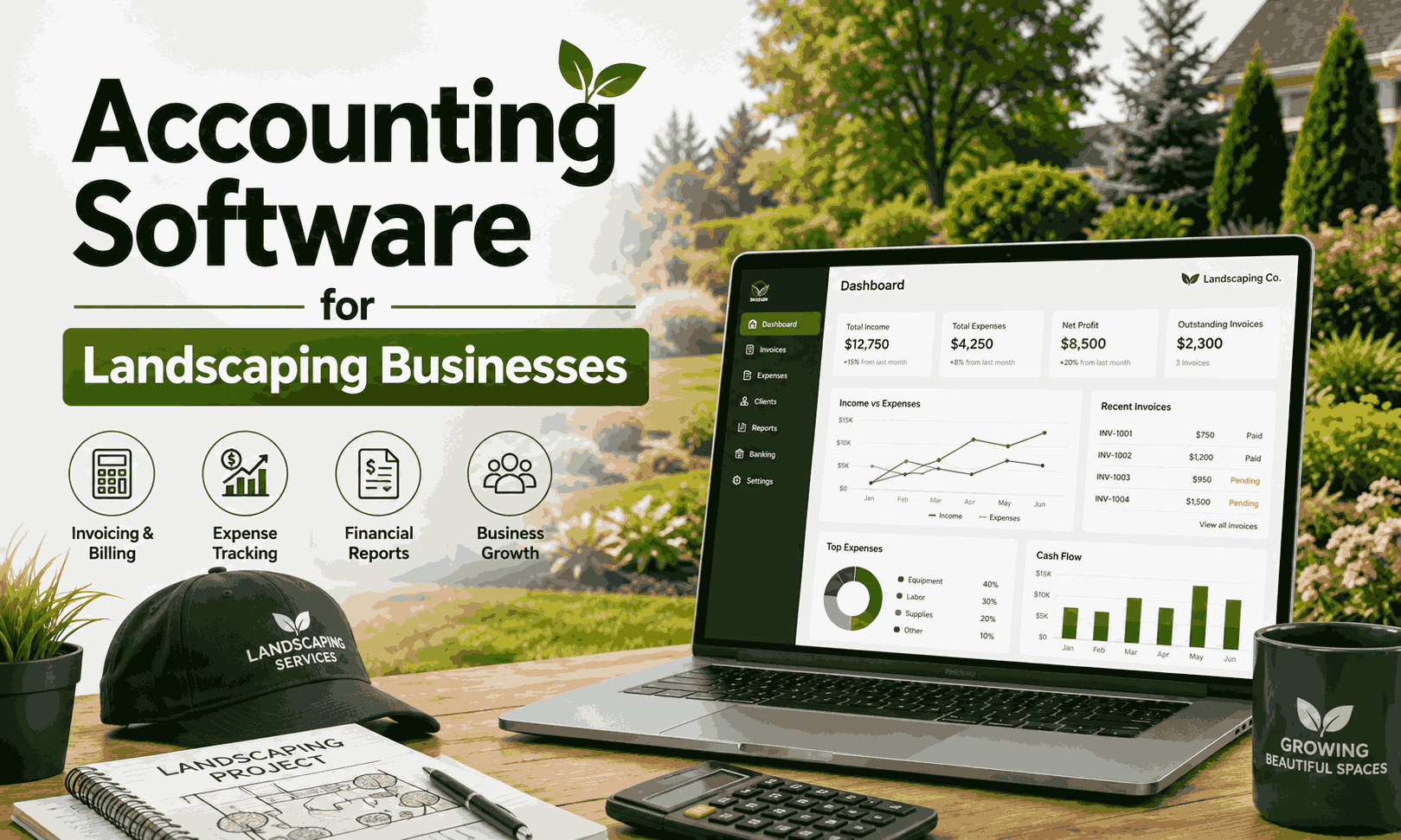
Running a landscaping company involves more than mowing lawns and planting gardens. You also need to manage invoices, fuel, equipment, labor, materials, taxes, and customer payments. That makes choosing the accounting software for landscaping business needs important for both small and growing companies.
The right platform can show where your money goes and which jobs actually make money. In this guide, we compare popular options and explain how to choose accounting software for a landscaping business based on job size, crews, recurring work, payroll, and growth.
Table of Contents
ToggleWhat Is the Best Accounting Software for a Landscaping Business?
For most U.S. landscaping companies, QuickBooks Online is a strong overall choice. It combines bookkeeping, invoicing, expense tracking, bank reconciliation, reporting, and payroll options. Xero, FreshBooks, Zoho Books, and Sage can also fit different business models.
The best accounting software for landscaping companies depends on your workflow. A solo landscaper may value simple invoices. A commercial contractor may need detailed job costing and payroll. Meanwhile, recurring lawn services need reliable monthly billing and payment tracking.
Comparison Table
| Software | Best For | Job Costing | Invoicing | Payroll | Pricing | Rating |
|---|---|---|---|---|---|---|
| QuickBooks Online | Overall | Strong | Yes | Available | Varies | 4.9/5 |
| Xero | QuickBooks alternative | Strong | Yes | Options | Varies | 4.7/5 |
| FreshBooks | Small businesses | Good | Strong | Options | Varies | 4.5/5 |
| Zoho Books | Value | Good | Yes | Options | Varies | 4.5/5 |
| Sage Accounting | Traditional accounting | Good | Yes | Options | Varies | 4.3/5 |
What Makes Accounting Software Good for Landscaping Businesses?
Landscaping companies have unusual cost patterns. Fuel, plants, mulch, tools, repairs, trucks, employee hours, and subcontractors can quickly reduce a project’s margin. Good landscaping business bookkeeping software should organize these costs without making bookkeeping feel like another full-time job.
It should also support recurring invoices, estimates, bank feeds, financial reports, and tax records. For example, accounting software for lawn care businesses can help a company track monthly maintenance revenue separately from one-time installation projects. That separation gives owners a clearer picture of recurring income.
Best Accounting Software for Landscaping Businesses
QuickBooks Online is a practical starting point for many companies. It supports income and expense tracking, invoicing, bank connections, financial reports, and job-related accounting features. It also has a broad ecosystem of accountants and business applications. That makes it useful when a landscaping company grows.
Xero offers a strong alternative with cloud accounting, bank feeds, invoicing, and project tools. FreshBooks focuses more heavily on simple billing and client management. Zoho Books stands out for automation and value. Sage offers traditional accounting features for businesses that prefer an established financial platform. The right accounting software for landscape contractors should match the company’s actual workload.
QuickBooks Online
QuickBooks works well for companies that need bookkeeping and financial reporting in one place. It can help organize customer invoices, expenses, bills, bank transactions, and payroll-related workflows. Its ecosystem also makes it easier to connect other business tools as the company expands.
Xero
Xero suits businesses that want cloud-based accounting and strong collaboration with accountants. Its bank feeds, invoicing, reconciliation, and project features make it useful for contractors. It can be a good choice when an existing accountant already prefers the platform.
FreshBooks
FreshBooks is attractive for smaller operators who mainly need estimates, invoices, expenses, time tracking, and client payments. It offers a simpler experience than some deeper accounting systems. However, a rapidly growing company may eventually need more advanced accounting controls.
Zoho Books
Zoho Books offers accounting, invoicing, expenses, automation, projects, and reporting. It can work especially well for owners already using other Zoho products. Its broader ecosystem can reduce the need to manage several disconnected applications.
Sage Accounting
Sage provides core accounting functions such as income tracking, invoicing, bank connections, and reporting. It may appeal to established businesses that prefer traditional accounting software. However, landscaping companies should check whether its available features match their specific operational needs.
Best CRM Software for Small Business in 2026 (Free & Paid)
Best Accounting Software for Different Types of Landscaping Businesses
The best choice changes with business size. A solo operator has fewer transactions and may prioritize simplicity. A multi-crew company has payroll, vehicle costs, several projects, and more complicated reporting needs.
For recurring lawn services, accounting software for recurring lawn care businesses should handle regular invoices and customer payments efficiently. For larger contractors, accounting software for commercial landscaping businesses should provide stronger reporting, receivables, project tracking, and scalability.
Recommended Setup by Business Type
| Business Type | Suitable Option | Main Need |
|---|---|---|
| Solo landscaper | FreshBooks or QuickBooks | Simple bookkeeping |
| Small lawn-care company | QuickBooks or Zoho Books | Recurring billing |
| Project contractor | QuickBooks or Xero | Job costing |
| Growing company | QuickBooks or Zoho Books | Automation |
| Multi-crew company | QuickBooks or Xero | Payroll and reporting |
| Commercial company | QuickBooks or Xero | Contracts and profitability |
Accounting Features Landscaping Businesses Actually Need
The strongest systems combine everyday bookkeeping with tools that reflect field-service work. Landscaping job costing accounting software should help you connect revenue with materials, labor, fuel, equipment, and subcontractor costs.
Likewise, landscaping business invoicing and accounting software should make it easy to create professional bills and monitor outstanding balances. Features such as inventory, time tracking, asset records, and tax reports become increasingly useful as your operation grows.
| Feature | Why Landscaping Businesses Need It |
|---|---|
| Job costing | Track profit per project |
| Recurring billing | Monthly lawn-care contracts |
| Expense tracking | Fuel, materials, repairs |
| Time tracking | Calculate labor costs |
| Payroll | Manage employees |
| Estimates | Quote landscaping jobs |
| Invoicing | Get paid faster |
| Inventory | Track plants and materials |
| Asset tracking | Manage equipment |
| Tax reports | Prepare for tax filing |
How Job Costing Works for a Landscaping Business
Job costing shows whether a specific project actually made money. This matters because a project can have a large invoice while producing a disappointing margin. Accounting software for landscaping projects and job costing brings those costs together.
Consider an $8,000 landscaping project. Materials cost $2,000. Labor costs $1,800. Fuel costs $400. A subcontractor costs $800. Equipment costs $300. Other costs add another $200. Total costs equal $5,500, leaving $2,500 before other overhead.
That example shows why accounting software for tracking landscaping job profitability matters. Without complete cost records, an owner might assume the entire $8,000 represents strong profit.
Capital Gurus Small Business Financing Services Tips
How to Track Landscaping Business Expenses
Expense tracking should mirror the way your company operates. Separate fuel from equipment repairs. Keep materials distinct from subcontractor costs. Record employee labor accurately. These categories make monthly reports much more useful.
With accounting software for tracking landscaping expenses, you can connect bank transactions with the right categories. If you want to how to track equipment expenses for a landscaping business, record purchases, repairs, maintenance, and other relevant costs consistently.
Common Expense Categories
| Expense | Example |
|---|---|
| Fuel | Trucks and mowers |
| Materials | Mulch, soil, plants |
| Labor | Employee wages |
| Equipment | Mowers and tools |
| Repairs | Vehicle maintenance |
| Subcontractors | Specialized outside work |
| Insurance | Business coverage |
| Software | Accounting and CRM tools |
Accounting Software vs Landscaping CRM: What’s the Difference?
Accounting software manages financial records. A landscaping CRM focuses on customers and field operations. That includes leads, property details, scheduling, crews, routes, and service history. Neither system completely replaces the other.
For that reason, accounting software with landscaping CRM integration can create a smoother workflow. If you want to know how to connect landscaping CRM with accounting software, look for supported integrations that synchronize customers, invoices, payments, or job information.
| Task | Accounting Software | Landscaping CRM |
|---|---|---|
| Bookkeeping | ✓ | |
| Bank reconciliation | ✓ | |
| Tax reports | ✓ | |
| Customer management | ✓ | |
| Crew scheduling | ✓ | |
| Route planning | ✓ | |
| Job management | ✓ | |
| Financial reporting | ✓ | |
| Estimates | Both | Both |
How to Choose the Right Accounting Software for Your Landscaping Business
Start with your actual workload rather than the software’s longest feature list. Consider employees, crews, monthly revenue, recurring services, project work, payroll, customers, integrations, and budget. Then think about how quickly the company may grow.
The best bookkeeping software for a small landscaping company may not suit a 20-person operation. Before choosing, check accountant compatibility, job costing, reporting, user access, and integration options. Good software should simplify your workflow rather than create more administrative chores.
Recommended Accounting Setup by Business Size
A small company can usually begin with straightforward bookkeeping and invoicing. As revenue and job volume increase, deeper project tracking becomes more valuable. Multi-crew businesses may need payroll, time tracking, CRM connections, and stronger financial controls.
For example, best accounting software for multi crew landscaping companies should handle employee costs and several concurrent projects. Meanwhile, a solo operator may only need invoicing, expense tracking, bank reconciliation, and basic reports.
| Business Stage | Recommended Setup |
|---|---|
| Solo landscaper | Accounting software |
| Small lawn-care company | Accounting + recurring billing |
| Growing company | Accounting + payroll + CRM |
| Multi-crew company | Accounting + payroll + field software |
| Commercial contractor | Accounting + CRM + job costing |
Common Accounting Problems Landscaping Businesses Face
Small mistakes can quietly damage a landscaping company’s profit. Mixing personal purchases with business spending makes reports harder to trust. Forgetting fuel or equipment costs can make jobs appear more profitable than they really are. Poor invoice follow-up can also create unnecessary cash-flow pressure.
Owners should understand how landscaping companies track income and expenses before choosing software. They should also learn how to manage landscaping business cash flow by reviewing unpaid invoices, upcoming bills, payroll, and seasonal expenses regularly.
Problems Worth Watching
| Problem | Result |
|---|---|
| Mixed transactions | Confusing financial records |
| Missing fuel costs | Inflated job profits |
| Unpaid invoices | Weak cash flow |
| Poor reconciliation | Incorrect balances |
| Misclassified materials | Poor reporting |
| Missing equipment costs | Inaccurate margins |
| Ignored subcontractors | Understated project costs |
How to Set Up Accounting Software for a Landscaping Business
Start by separating business banking from personal spending. Then create categories for fuel, materials, equipment, labor, repairs, insurance, and subcontractors. Connect your bank accounts and credit cards so transactions can flow into the accounting system.
Next, create customers, services, estimates, invoices, and recurring billing rules. Add payroll or time tracking if needed. Finally, connect your CRM where possible. A monthly review can catch missing expenses, unpaid invoices, and unusual transactions before they become bigger problems.
How Many Business Days in a Year Made Simple
How Much Does Accounting Software Cost for a Landscaping Business?
Software costs vary by plan and business size. Basic plans may cover bookkeeping and invoicing. Advanced plans can add users, project features, automation, reporting, or payroll. Payment processing and integrations can create additional expenses.
Don’t judge software only by its monthly subscription. Consider the total cost of ownership, including payroll add-ons, CRM connections, accountant support, payment fees, and staff time. Sometimes a slightly more expensive platform saves money by eliminating repetitive work.
Accounting Software for Landscaping Business: Final Comparison
Choosing software becomes easier when you compare it against your actual priorities. QuickBooks offers broad accounting capabilities. Xero provides a strong alternative. FreshBooks emphasizes simple billing. Zoho Books offers automation and value. Sage provides established accounting functionality.
For accounting software for landscaping business profitability, the most important feature isn’t always the biggest feature list. You need accurate costs, reliable invoices, clean records, and useful reports that help you make better decisions.
| Rank | Software | Best For | Main Strength |
|---|---|---|---|
| 1 | QuickBooks Online | Overall | Complete accounting |
| 2 | Xero | Alternative | Cloud collaboration |
| 3 | FreshBooks | Small operators | Simple invoicing |
| 4 | Zoho Books | Growing businesses | Automation |
| 5 | Sage Accounting | Traditional needs | Core accounting |
Which Accounting Software Should You Choose?
QuickBooks Online is a strong overall option for many landscaping companies. Xero makes sense for businesses that prefer its ecosystem or already work with a Xero accountant. FreshBooks fits smaller operators that mainly need simple billing and expense management.
Zoho Books can suit growing businesses that value automation and integration. Sage may work for companies that prefer traditional accounting software. If payroll is a major concern, accounting software for landscaping contractors with payroll should be evaluated against your employee count and reporting needs.
Final Recommendation
If you’re still unsure, start by listing the tasks your business performs every week. Then compare those needs with each platform. Think about best software for landscaping invoices and payments, job costing, payroll, reporting, and future growth rather than price alone.
The right platform should also help you understand how to manage unpaid invoices in a landscaping business and how to organize landscaping business bookkeeping and taxes. When financial data stays accurate, you can spend less time chasing numbers and more time growing your landscaping company.
Frequently Asked Questions
What is the best accounting software for a landscaping business?
QuickBooks Online is a strong overall choice for many landscaping companies. However, the right option depends on business size, job costing needs, payroll, recurring billing, and existing software.
What is the best accounting software for a lawn-care business?
QuickBooks, FreshBooks, and Zoho Books can all work for lawn-care businesses. Recurring invoices, payment tracking, expenses, and simple reporting should receive special attention.
Is QuickBooks good for landscaping companies?
Yes. QuickBooks can handle many common landscaping accounting tasks, including income, expenses, invoices, bank reconciliation, reporting, and payroll options.
Do landscapers need accounting software?
Most growing landscaping businesses benefit from dedicated accounting software. Spreadsheets can become difficult to manage when customer numbers, employees, projects, and transactions increase.
Can accounting software track landscaping job costs?
Yes. Depending on the platform and plan, you can track project-related labor, materials, expenses, and other costs. This helps you compare project revenue with actual spending.
Can QuickBooks track landscaping jobs?
QuickBooks offers project-related tools that can help eligible users organize income and costs. The exact capabilities depend on the plan and configuration.
What is the best free accounting software for landscapers?
Free options can help very small businesses start tracking finances. However, check whether they include essential features such as invoicing, bank connections, reporting, and expense tracking before relying on one.
Should a landscaping business use accounting software and CRM together?
Often, yes. Accounting software handles financial records while a CRM can manage customers, schedules, crews, routes, and field operations. Integration can reduce duplicate data entry.
How do landscapers track expenses?
They should categorize expenses such as fuel, materials, labor, equipment, repairs, insurance, and subcontractors. Consistent categories make financial reports easier to understand.
How do landscaping companies track job profitability?
They compare project revenue against direct costs such as labor, materials, fuel, equipment, and subcontractors. Accurate job costing reveals the project’s actual margin instead of relying on the invoice amount alone.

1 Comment
Pingback: TechTrendery.com USA Review 2026: What the Site Actually Covers